Understand what your users do
LogNroll helps you understand user behavior and fix bugs faster with session replay, heatmaps, error tracking, and product analytics.
Free plan · No credit card · Set up in minutes
Live sessions
12- MKCart checkout · 2m 14sRec
- JTSignup flow · 1m 02s
- AOPricing page · 4m 51s
Works with your stack
Everything in one platform
Everything you need to understand user behavior
LogNroll provides powerful tools to help you understand user behavior, fix bugs faster, and improve your product. Our platform combines session replay, click heatmaps, advanced error tracking, and product analytics so you see how users interact with your app.
Session Replay
Watch what users do on your site—clicks, scrolling, and form inputs. Understand behavior in context.
Heatmaps
Aggregate clicks across sessions on each page. Spot ignored CTAs, dead zones, and rage-click clusters.
Error Tracking
Capture errors with stack traces and user context. Fix bugs faster with full diagnostics.
Product Analytics
Funnels, journeys, and events—see what users do across your product.
Sessions
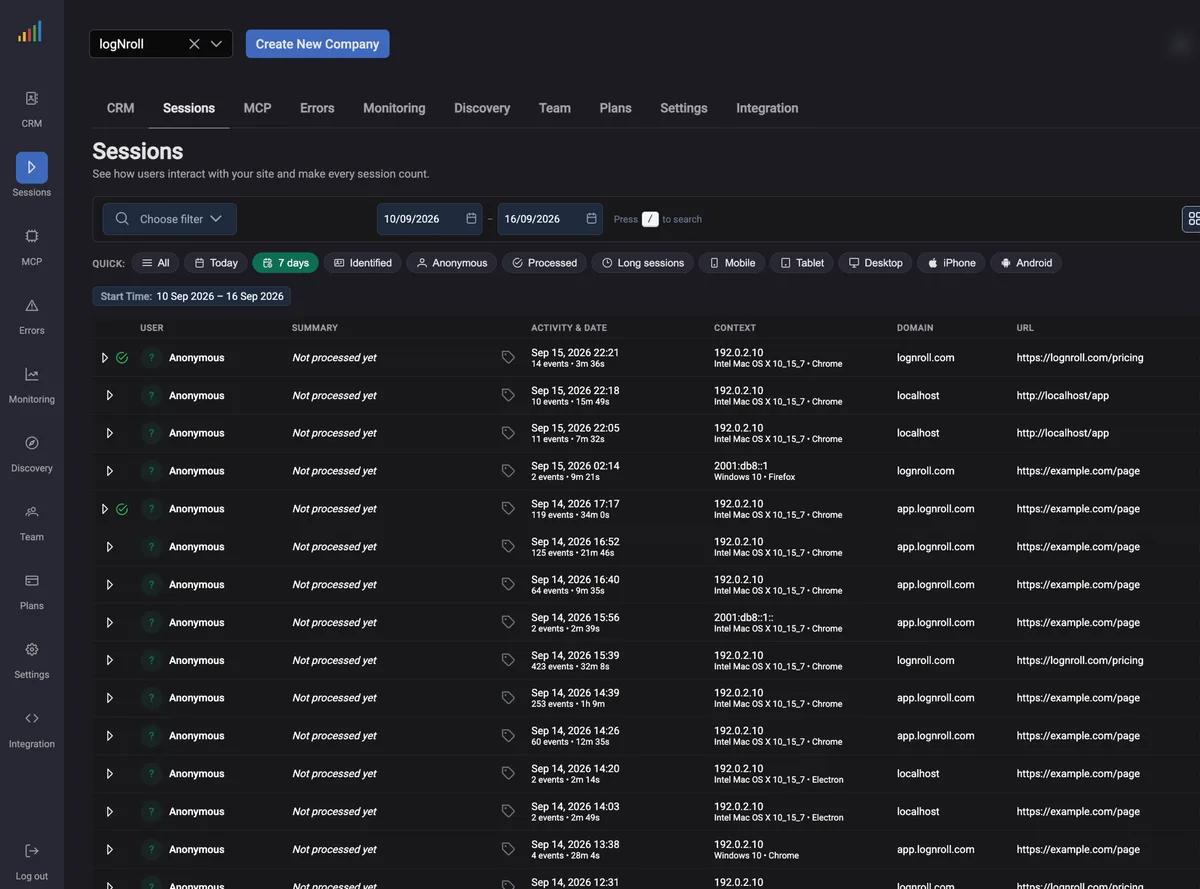
Sessions Dashboard: Manage and Analyze User Sessions
The Sessions Dashboard gives a clear view of sessions so your team can find, filter, and focus on what matters.
- Search & Filter: Find sessions by user, date, location, platform, or custom criteria—including identified users, time ranges, and events.
- Session Details: Duration, events, location, and platform at a glance.
- Table Configuration: Choose columns that match your workflow.
- Real-time Updates: Refresh to see the latest activity as it arrives.
Replay
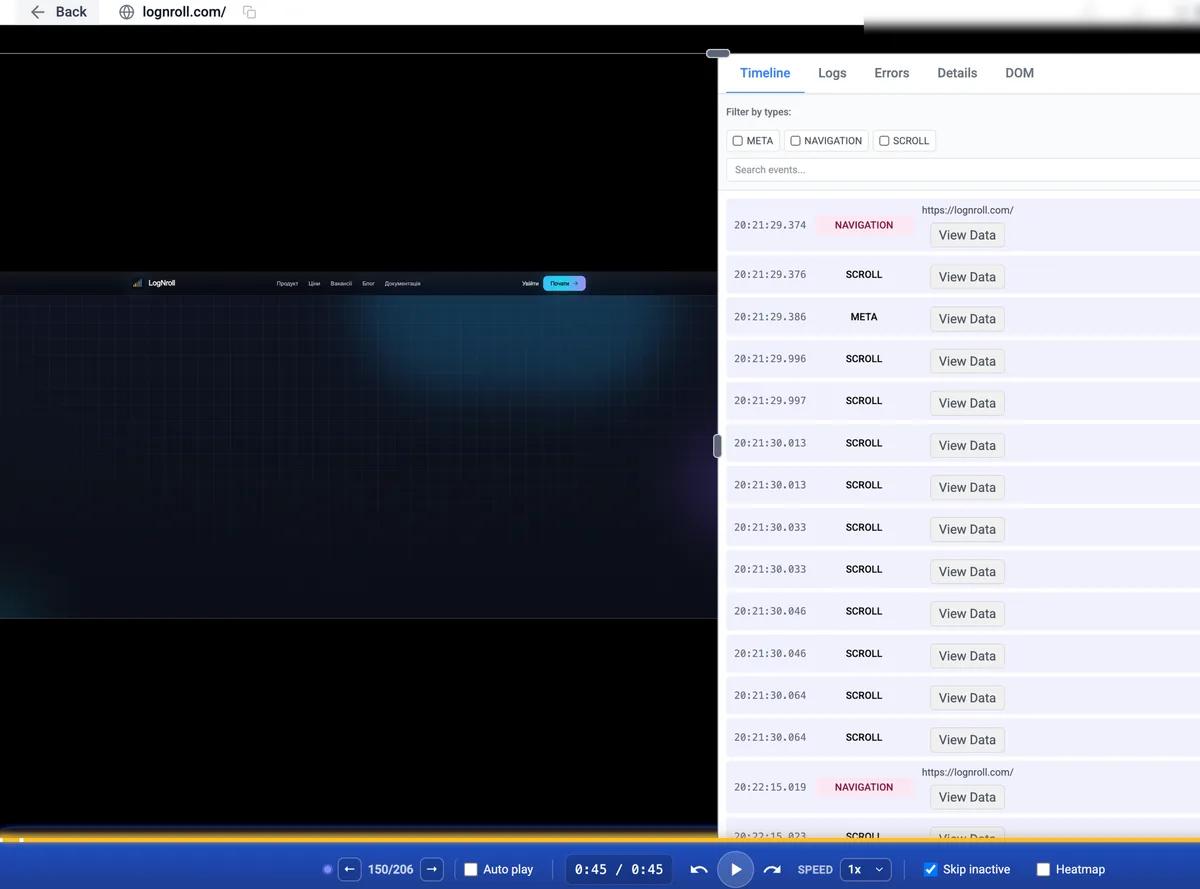
Session Replay Player: Deep Dive into User Sessions
The player pairs replay with network activity, timelines, and precise controls so you can analyze sessions end to end.
- Network Monitoring: Inspect requests with timing, status codes, and latency; filter by type or method.
- Event Timeline: Every click, move, scroll, and navigation event—filter and search the timeline.
- Advanced Playback: Speed from 0.5x to 8x, skip idle time, jump in precise steps.
- Synchronized Analysis: Replay, network, and events stay in sync for full context.
Signal, not noise
Heatmaps, errors, analytics & AI agents — one workflow
Heatmaps: Where Attention and Friction Concentrate
Heatmaps aggregate clicks from many sessions onto the pages you replay. Toggle Heatmap in the player to overlay intensity on the live DOM reconstruction—without leaving the same debugging workflow.
Clicks are separated by device type (mobile, tablet, desktop) and grouped by normalized page URL, so tracking parameters do not scatter the same page into dozens of maps.
Use heatmaps to prioritize layout and CTA problems at scale, then open individual session replays to see the exact sequence behind a hotspot.
Error Tracking: Fix Bugs Faster with Complete Context
LogNroll captures errors automatically with stack traces, user and browser context, and the path that led to the failure—so debugging is faster than with logs alone.
Similar errors group together so you can prioritize by impact. Each report includes environment and actions before the error—ideal when many users hit the same issue.
Error tracking links to session replay: open the replay from an error to see exactly what the user did. Resolve incidents faster and harden your product.
Product Analytics: Understand User Behavior at Scale
Analytics in LogNroll shows how people use your app—journeys, funnels, adoption, and engagement—so you know what works and what to improve.
Track custom events that matter to your business—clicks, submissions, features—and use funnels to find drop-offs and optimize flows.
Combine metrics with replay: see both what users do and why, so roadmap and UX decisions stay grounded in evidence.
AI Agents: Ask Your Session Data Directly
The LogNroll MCP server connects AI agents such as Cursor and Claude to your raw session data through the Model Context Protocol, so you can ask questions in plain language instead of clicking through dashboards.
Agents get nine read-only tools covering sessions, events, errors, network, and heatmaps. They sign in with an OAuth email code instead of API keys, and only ever see the companies your team belongs to.
Ask an agent to summarize a session, group errors, or explain where a funnel leaks—then jump back into replay and heatmaps to confirm the finding yourself.
Privacy & control by design
Live demo
Watch clicks build into a heatmap
Click anywhere on this page — every click lands on the map. Switch device to see how attention moves, or stack clicks to trigger a rage-click hotspot.
- Dead zones and ignored CTAs show up instantly
- Filter by device: desktop, tablet, mobile
- Rage clicks glow red as they stack up
Production heatmaps aggregate thousands of sessions per page — this is a live simulation.
Replay
Session Replay: Understand What Your Users Do
Session replay records and rebuilds user sessions so you see not only what happened, but how. It captures interactions—mouse moves, clicks, scrolls, forms, navigation—so you can debug and improve UX with confidence.
With LogNroll, watch full sessions to spot friction, reproduce issues, and align product, engineering, and design on real behavior.
Privacy controls help you mask sensitive fields and stay aligned with GDPR, CCPA, and similar rules—record what you need without excess data.
Built for your team
How LogNroll Helps Your Team
For Developers
Reproduce bugs with replay plus errors—less guesswork, faster fixes.
For Product Managers
Prioritize with analytics and real behavior—not only aggregates, but the stories behind them.
For UX Designers
Validate designs with real sessions; spot usability issues early.
For Support Teams
Watch sessions for reported issues; shorten back-and-forth and improve CSAT.
Start Understanding User Behavior Today
Start free and see how session replay, heatmaps, errors, and analytics work together for your team.
FAQ
Frequently Asked Questions
Common questions about LogNroll and how it works.
- LogNroll combines session replay, heatmaps, error tracking, and product analytics so you see how users behave, reproduce issues faster, and ship with confidence.
- We record DOM changes and interactions and reconstruct them in the player—like video, but not a screen recording—lightweight and privacy-aware.
- We prioritize privacy: mask sensitive fields before data leaves the browser and provide tools to support GDPR, CCPA, and deletion requests.
- Yes. Install our JavaScript SDK via npm or script tag; it works with React, Next.js, Vue, Angular, and plain sites.
- You get stack traces, environment, and the session leading to the error—not just a line in a log—so reproduction is much easier.
- Click events from sessions are aggregated per page URL and device type. In the session player, turn on Heatmap to overlay intensity on the reconstructed page, then drill into individual replays for causality.
Free book
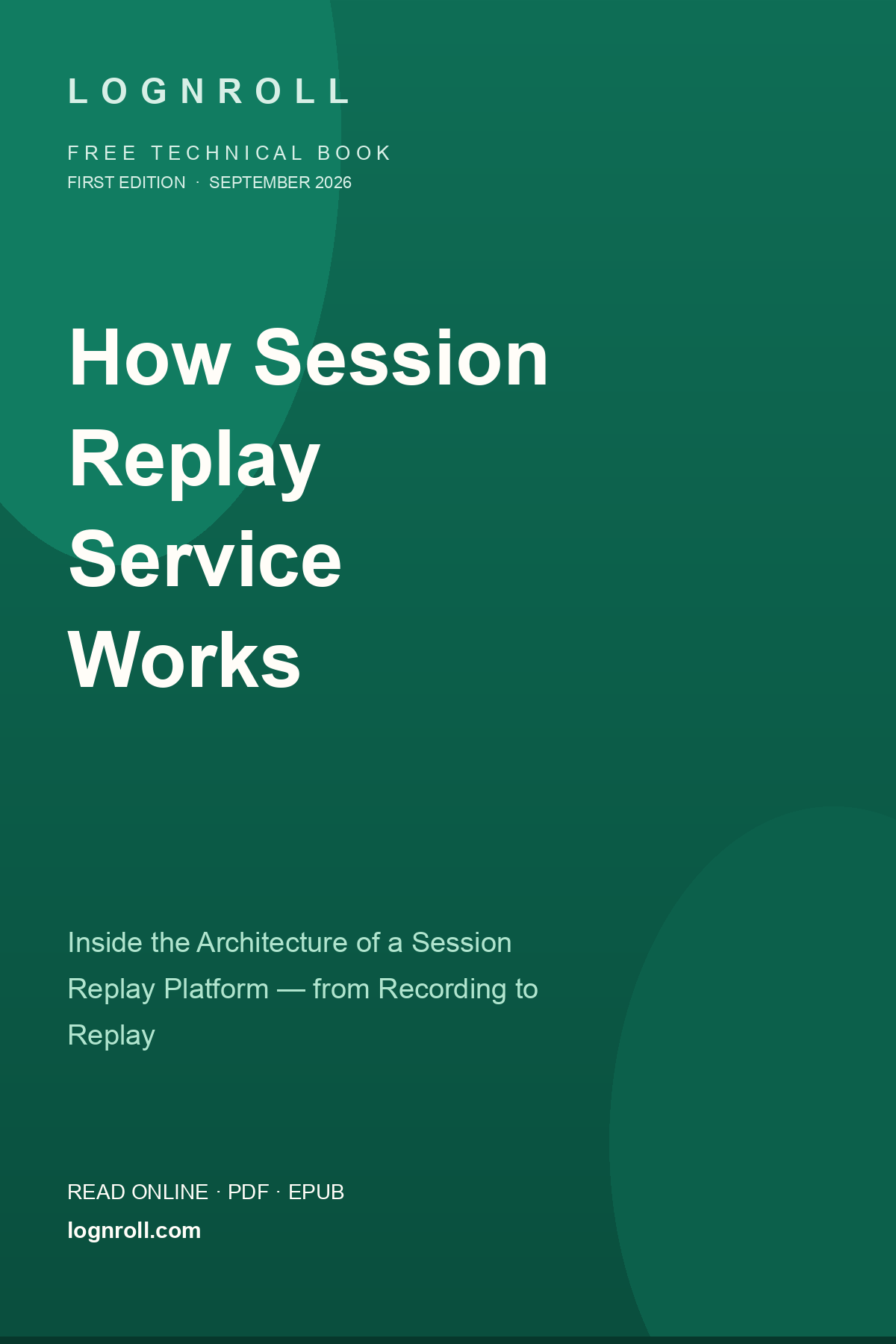
How Session Replay Service Works
A free 200-page book by the LogNroll team: the whole architecture of session replay — recording, ingestion, storage, processing, replay, and operations — plus the story of a small bookstore that could not see its customers.
Free forever · HTML, PDF & EPUB · CC BY 4.0