Replace Cron Jobs with AWX: Scheduling via API Endpoints
Cron jobs are simple, but they can be brittle at scale. This guide shows how to move scheduling out of application code and into AWX by calling endpoints, improving flexibility, observability, and control.
TL;DR
Replace in-code cron jobs with AWX schedules that call your service endpoints. You gain centralized alerting, manual execution, reporting, and security controls. The tradeoffs are extra infrastructure, network dependencies, and the need for idempotent APIs.
LogNroll Team
Engineering & DevOps
Why Replace Cron Jobs?
Cron jobs inside application code are easy to add, but they grow into hard-to-debug, hard-to-audit systems as your workload scales. Moving scheduling into AWX lets you treat job orchestration as infrastructure, not application logic.
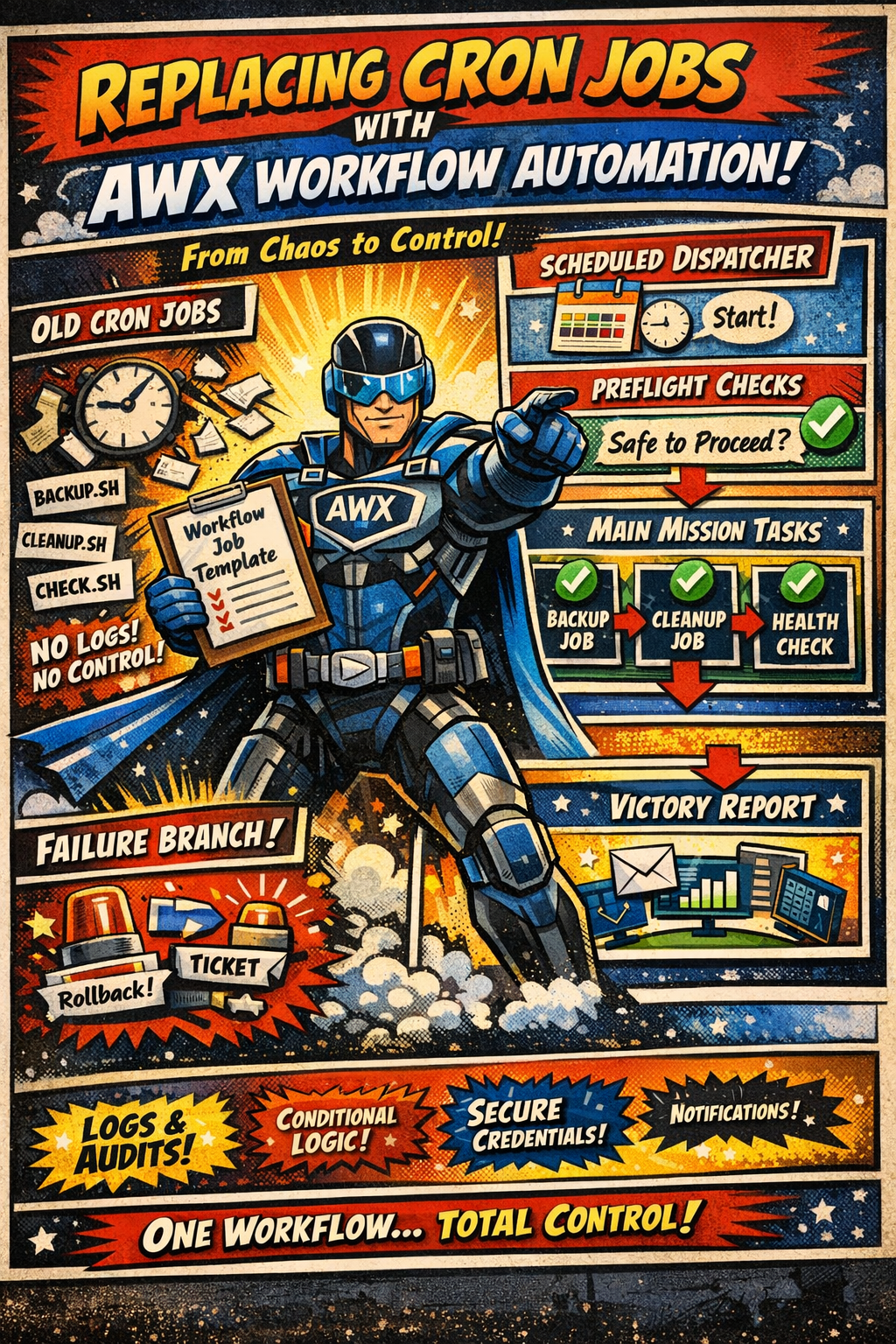
The Architecture Shift
From:
App Code -> Cron Scheduler -> Internal Job LogicTo:
AWX Schedule -> API Endpoint -> Job LogicWhat is AWX Doing Here?
AWX (the open-source upstream of Ansible Tower) acts as your orchestrator. It triggers jobs on a schedule, stores run history, sends alerts, and allows manual execution with parameters.
Flexibility
Change schedules and job logic without app deploys.
Alerting
Centralized notifications on failures and retries.
Manual Execution
Run jobs on demand with parameterized inputs.
Reporting
Historical runs, success rates, durations, and audit logs.
Security
Credentials managed in AWX and not embedded in code.
Scaling
Scale job execution independently of app instances.
Testing
Run jobs in staging via AWX without modifying app cron.
AWX Features That Replace Cron Pain Points
AWX does more than schedule. These built-in capabilities give you the operational controls that cron lacks when jobs become business-critical.
Manual Execution & Approvals
Run jobs on demand, pause workflows for manual approval, and require human confirmation before risky steps.
Surveys & Parameter Inputs
Collect runtime parameters from operators without changing code or deployment settings.
Auditing & Reporting
Run history, success rates, durations, and audit trails are captured automatically.
RBAC & Credential Vaults
Role-based access control with centrally managed credentials and secrets.
Workflows & Dependencies
Chain jobs with conditional logic, fan-out, retries, and failure handling.
Notifications & Webhooks
Native alerting to Slack/email/webhooks for failures, approvals, and completions.
Scaling & Scheduler Synchronization
When you scale your service horizontally, cron schedules are replicated across instances. That often leads to duplicate executions, race conditions, and drift when clocks or deployments are not in sync. AWX centralizes scheduling so only one orchestrator triggers the job, eliminating scheduler conflicts.
Horizontal Scale Safety
With AWX, a single scheduler controls execution regardless of how many app instances you run. You avoid duplicate runs caused by per-pod cron jobs.
Time & Drift Consistency
Centralized schedules prevent clock drift or deployment timing issues from triggering jobs at inconsistent times across nodes.
Single Source of Truth
AWX becomes the authoritative scheduler. Changes are applied once and instantly reflected across environments.
Safer Failover
In-node failover can accidentally double-run cron. AWX can handle retries explicitly and track run state to prevent duplicate execution.
How It Works in Practice
- Create an AWX template for the job (e.g., run cleanup, billing, sync).
- Configure a schedule in AWX (cron-like but managed centrally).
- AWX calls your service endpoint with parameters and auth.
- Your service executes the job logic and returns a status.
- AWX records the run, sends alerts on failure, and stores logs.
Endpoint Contract (Example)
POST /jobs/daily-reconciliation
Authorization: Bearer <awx-token>
Content-Type: application/json

{
  "runId": "awx-2026-01-15T00:00:00Z",
  "dryRun": false,
  "range": "previous_day"
}

// Response
{
  "status": "ok",
  "processed": 12493,
  "durationMs": 8420
}
Make endpoints idempotent so AWX retries are safe.
Pros and Cons
Pros
- • Central scheduling across all services
- • Unified alerting and run history
- • Manual runs with parameters
- • Better audit trails and reporting
- • Secrets and credentials managed in one place
- • Scales independently from app instances
Cons
- • Additional infrastructure to run and maintain
- • Requires reliable network access to endpoints
- • Requires robust API authentication
- • Endpoint logic must be idempotent
- • Slightly higher latency than in-process cron
Design Checklist
- • Use signed tokens or mTLS for AWX → API calls
- • Make jobs idempotent and retry-safe
- • Add timeouts and circuit breakers
- • Return structured JSON responses
- • Separate job endpoints from public APIs
- • Capture logs and metrics for every run
- • Provide a dry-run mode for testing
When to Keep Cron
Cron is still fine for small apps, single-node deployments, and simple maintenance tasks. If you have minimal scheduling needs and no operational overhead for alerting/reporting, cron can be the right choice.
Per-Second or Perpetual Schedulers
If your job must run every second or continuously (perpetual workers, event loops, stream processors), AWX is not the right tool. AWX schedules at minute-level granularity and is optimized for discrete jobs, not high-frequency or always-on workloads.
Better fits for per-second or perpetual workloads:
- • Queue-driven workers (e.g., message queues, job runners)
- • Stream processors and event-driven services
- • Systemd timers or dedicated schedulers with sub-minute precision
Conclusion
Replacing cron jobs with AWX gives you operational control: better alerting, manual execution, reporting, security posture, and scalable orchestration. The cost is extra infrastructure and a need for solid API design, but for teams managing multiple services and critical workloads, the tradeoff is usually worth it. For related operational reading, see how to set up automatic host monitoring for uptime and TLS alerts, and what to collect and ignore when logging Kubernetes.